Appearance
Widget - Display Stars & Ratings
Stars and ratings appear both in product listings and on individual product pages. In listings, they give a quick overview of customer feedback, while on product pages, they link to the full comment section for detailed reviews.
💡 Note:
Replacedata-product-idwith the actual ID instead ofSKU1234. Add#gmf-comment-sectionto theproduct-URLto link the stars on the product page.
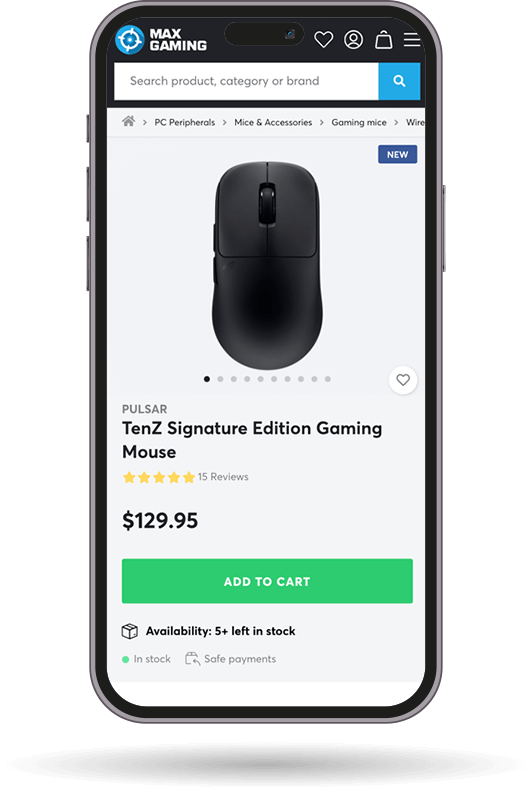
Option 1: Stars + Number + "reviews"
Shows a star rating followed by the total count and the word "reviews" (e.g., ★★★★☆ (24 reviews))
html
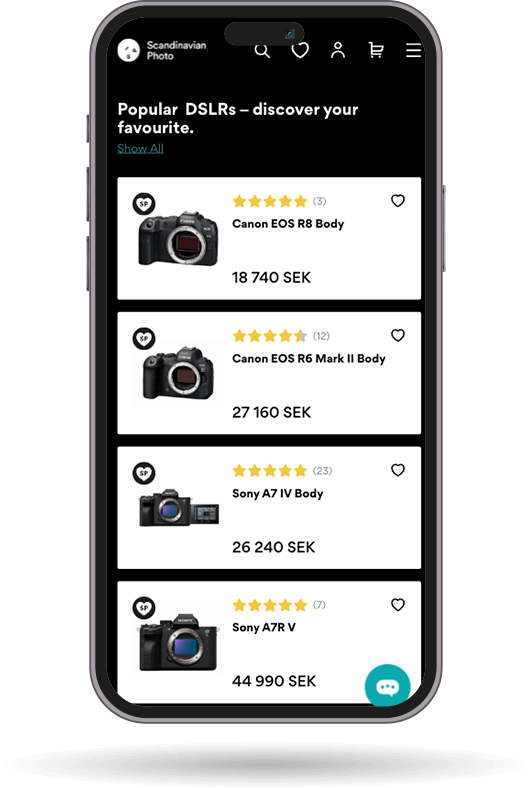
<div class="gmf-product-rating" data-product-id="SKU1234"></div>Option 2 - Compact: Stars + Number
Displays a simplified format with just the star rating followed by the number of reviews in parentheses (e.g., ★★★★☆ (24)).
html
<div class="gmf-product-rating" data-compact data-product-id="SKU1234"></div>Size Variations
You can adjust the size of the stars using the data-size attribute:
Small
html
<div class="gmf-product-rating" data-product-id="SKU1234" data-size="small"></div>Medium
html
<div class="gmf-product-rating" data-product-id="SKU1234" data-size="medium"></div>Large
html
<div class="gmf-product-rating" data-product-id="SKU1234" data-size="large"></div>API available
An API is available for the star ratings widget. See the API section for access information.