Appearance
Widget - Image Grid
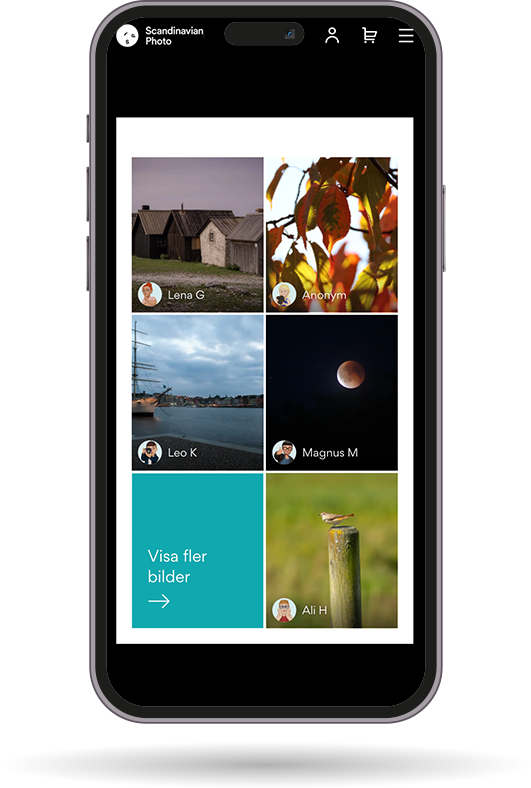
The Image Grid widget displays user-uploaded images in a responsive grid layout. This widget showcases community-generated content, allowing visitors to browse through images that users have shared as part of their reviews, posts, or other community contributions.
- Display user-generated images in a grid layout
- Responsive grid that adapts to screen size
- Shows uploaded content from community
- Automatically organizes images in an optimized grid format
Implementation
To add the Image Grid widget to your page, simply include the following HTML element:
html
<div class="gmf-upload-grid"></div>The widget will automatically populate with user-uploaded images from your community. The grid layout is responsive and will adjust based on the available screen space and container width.
💡 Note:
The Image Grid widget pulls images from your Gamifiera community. Ensure that your main script is properly initialized for the widget to function correctly. For more details, refer to our main script guide.